The core product

One editor. Everything the inbox throws at it.

Sumezi works on a block model that compiles to tested, bulletproof email HTML. Drag & drop for the work, code for the control. Here's how.

The engine

A model that compiles. Not WYSIWYG on raw code.

You build with blocks, not loose HTML tags. That block model compiles to tested, table-based HTML with inline CSS. The output stays predictable, however you design.

  • One source of truth: the block model
  • Compiles to the same tested HTML, every time
Block model
Heading · Image · Text · Button · Columns
Compiler
Table-based layout, inline CSS, MSO conditionals, VML
<table role="presentation" width="600"> <tr><td style="padding:24px"> <!--[if mso]><v:roundrect …> </td></tr> </table>
Two ways to work

Drag what you can. Drop to code where you want.

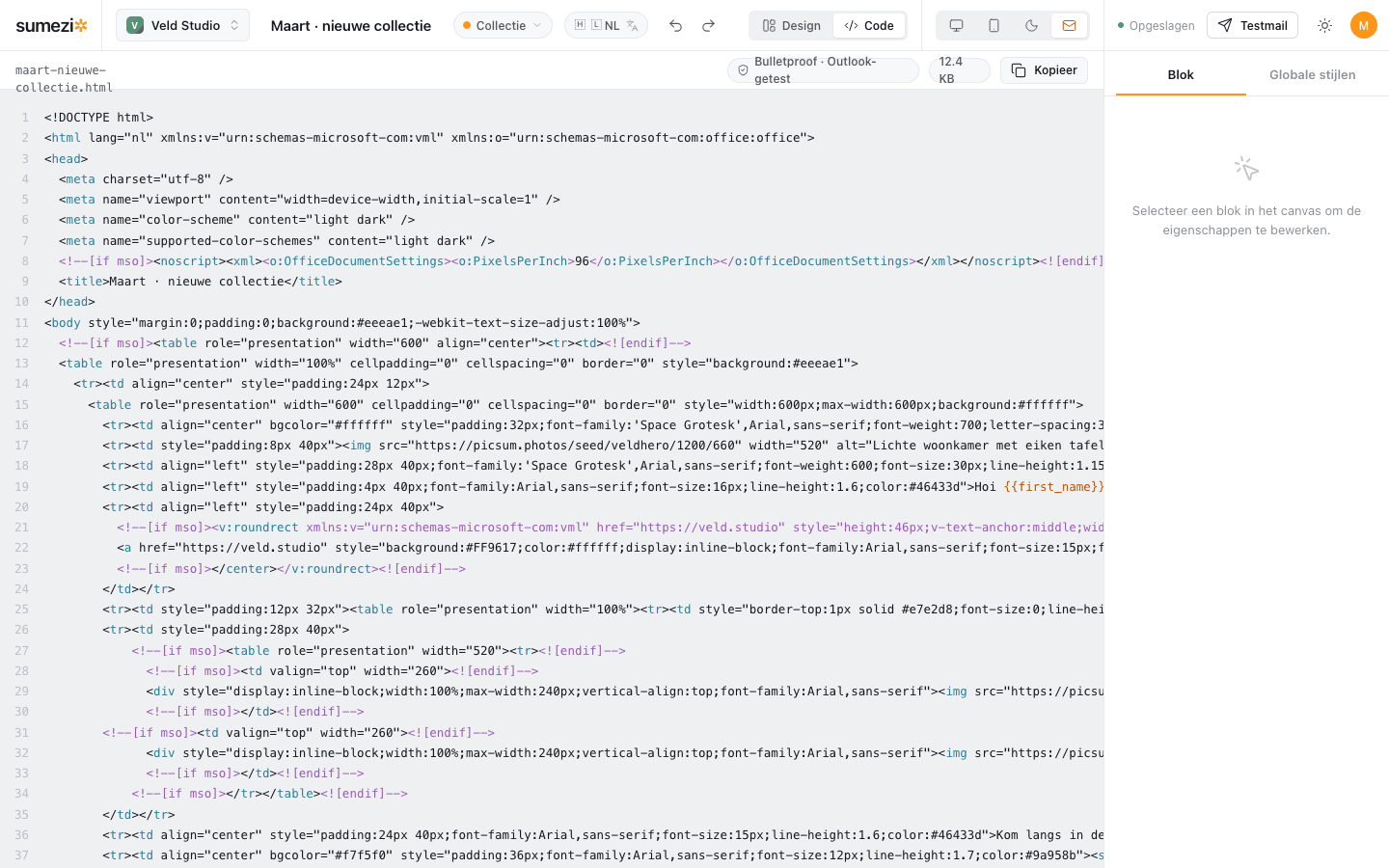
Build from the block library on a 600px canvas, or switch to code mode in one click and read the compiled, bulletproof HTML. A raw HTML block is there for the edge cases.

  • Design ⇄ Code toggle in the topbar
  • Raw HTML block for power users
Sumezi editor in code mode showing compiled bulletproof email HTML with MSO conditionals and VML.
The library

Every block is tested up front.

A component only enters the library after the same inbox test. What you drag is already proven in Outlook, Gmail and Apple Mail.

Section Columns Heading Image Button Footer Social Video Divider Tokens Raw HTML
The Outlook promise

Tested where it breaks.

Outlook on Windows breaks what other clients tolerate. So Sumezi emits VML roundrect buttons, MSO conditionals and table layouts. Bulletproof, and under 100 KB to avoid Gmail clipping.

  • VML roundrect buttons with rounded corners
  • MSO conditionals for Outlook-only markup
  • Size check against Gmail clipping
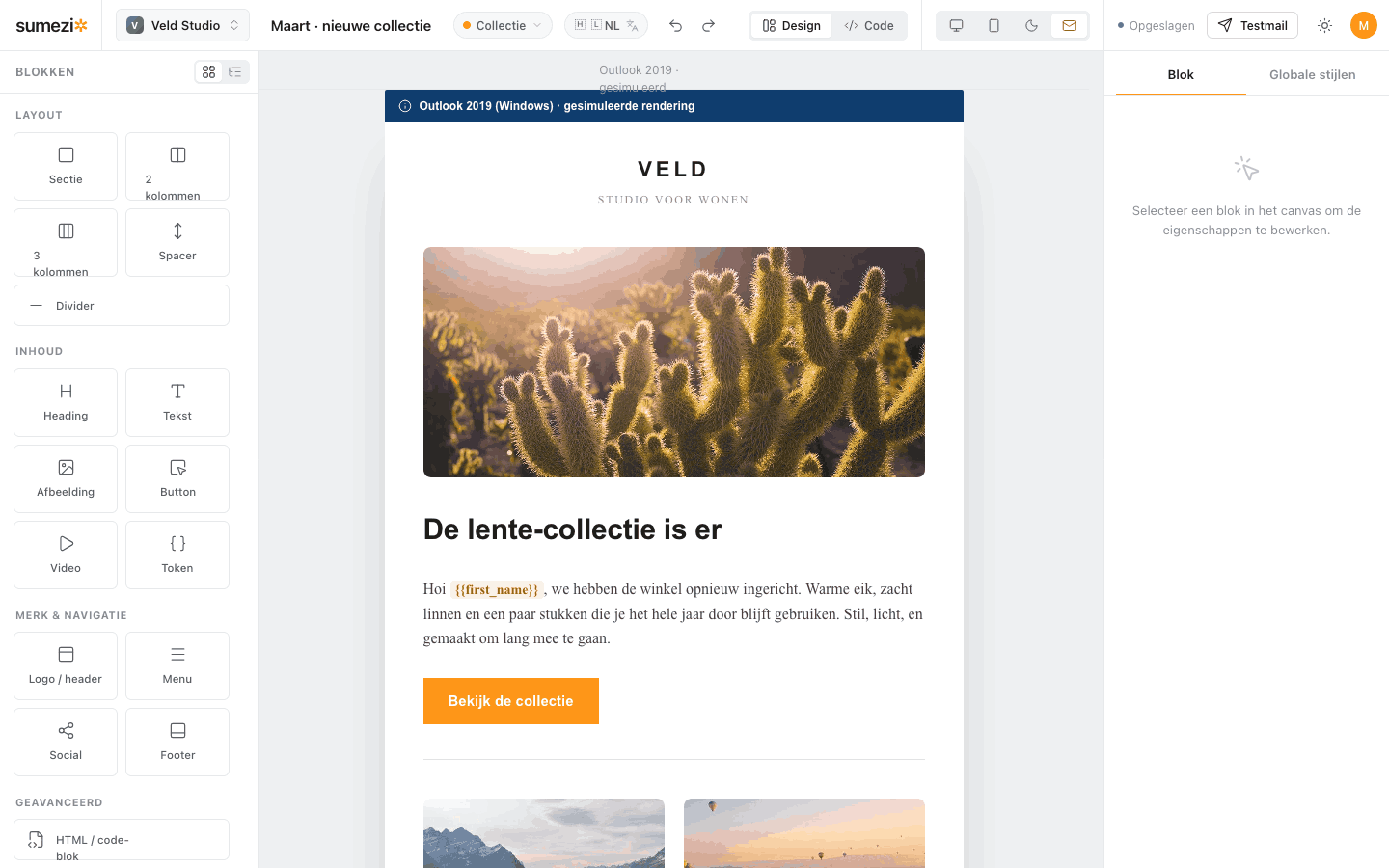
Sumezi editor showing a simulated Outlook preview of the newsletter.
Real previews

See what the inbox sees.

Switch between desktop, mobile, dark mode and a simulated Outlook rendering. No guesswork. you check the mail in the context where it lands, before you send.

March · new collection
Desktop view · 600px
Built for teams

One platform, strictly separated.

Multi-tenant workspaces

Every workspace gets its own subscribers, templates, branding and SMTP. Fully isolated. switch between brands in one click.

VVeld Studio
NNoord Koffie
AAtelier Mees

Personalization tokens

Merge tags linked to your workspace subscribers. Drag them as a block or type them in text, with a clean fallback when a value is missing.

{{first_name}} {{last_name}} {{city}} {{unsubscribe_url}}

Pick a template. Design. Send.

Open the editor and watch the bulletproof HTML write itself.

Open the editor