Drag & drop and code · multi-tenant

Newsletters that look right everywhere. Outlook included.

Sumezi is the email editor that takes the pain out of email HTML. Simpler than Mailchimp, more capable than the open-source tools. Design, preview, send. Done.

No credit card. Built for makers, studios and teams.

app.sumezi.nl/editor
Blocks
Heading
Image
Text
Button
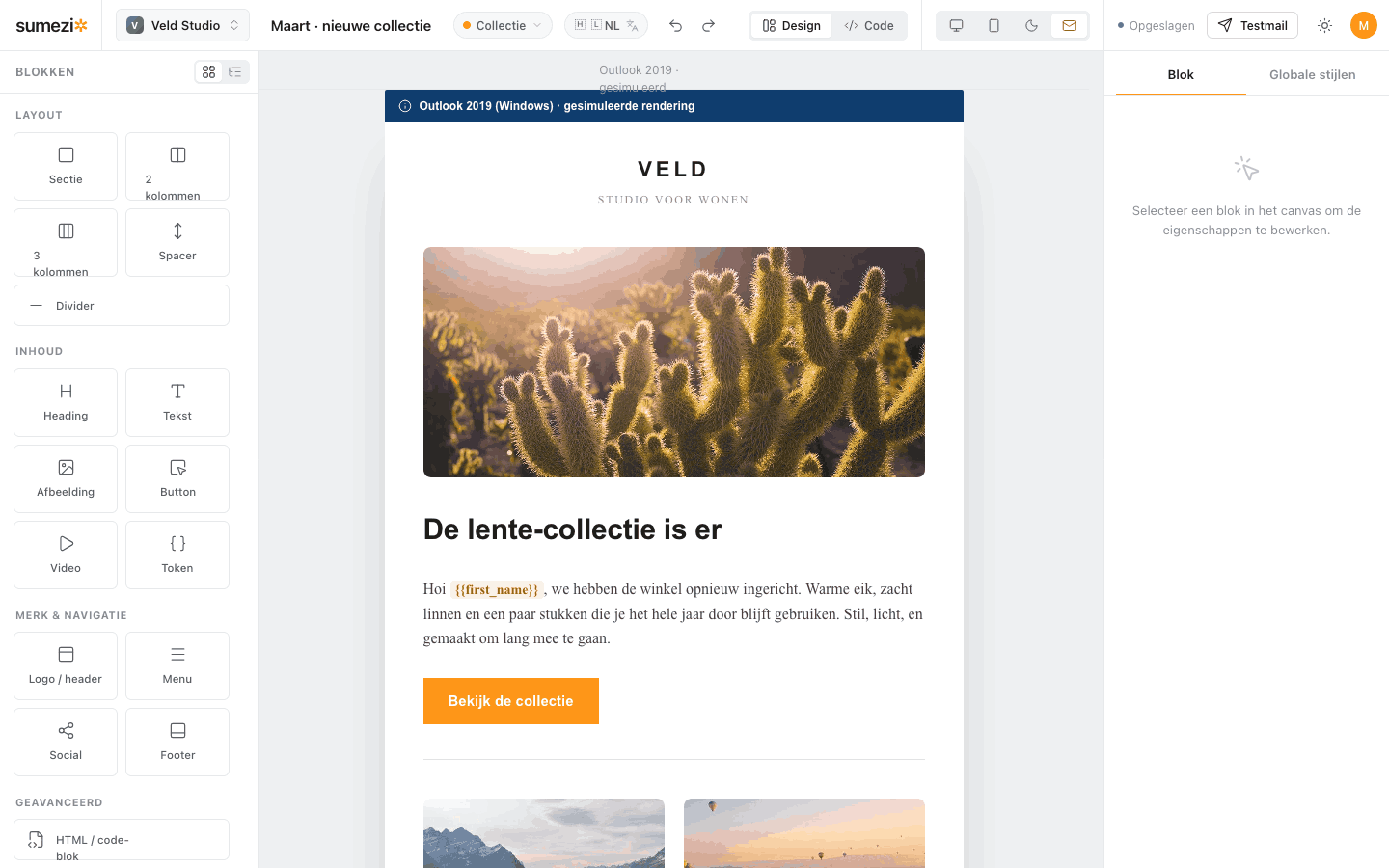
Drag blocks in
View the collection
Sent
to 3,214 subscribers · live metrics
Delivered
98%
Opened
51%
Clicked
12%
Heading

Drag blocks in, edit inline, hit send. The bulletproof HTML writes itself.

The right fit

Between too basic and too much.

The big suites bury you in automation, CRM and analytics. The open-source tools leave you wrestling with raw HTML. Sumezi does one thing exceptionally well: designing and sending newsletters.

See the pricing
Open source
powerful, but raw
Sumezi
just right
Mailchimp
too much, too pricey
The core product

One editor. Two ways to work.

Drag & drop

Drag tested blocks onto a 600px canvas. Select, reorder and tune everything from the properties panel.

And code

For power users: a raw HTML block plus direct access to the compiled, bulletproof HTML.

Model → compiler

The editor works on a block model that compiles to tested HTML. Not WYSIWYG on raw code.

Real previews

Desktop, mobile, dark mode and a simulated Outlook rendering. See what the inbox sees.

Multi-tenant

Every workspace gets its own subscribers, templates, branding and SMTP. Strictly isolated.

Personalization

Merge tags like {{first_name}}, linked to your workspace subscribers.

Power under the hood

The HTML you never want to write by hand.

Switch to code mode in one click and see the compiled output: table-based, inline CSS, MSO conditionals and VML for Outlook. Bulletproof, tested blocks, every time.

  • Table-based layoutNo flex or grid in the mail — works in every client.
  • VML roundrect buttonsBulletproof rounded buttons, in Outlook too.
  • Under 100 KBAvoids the dreaded Gmail clipping.
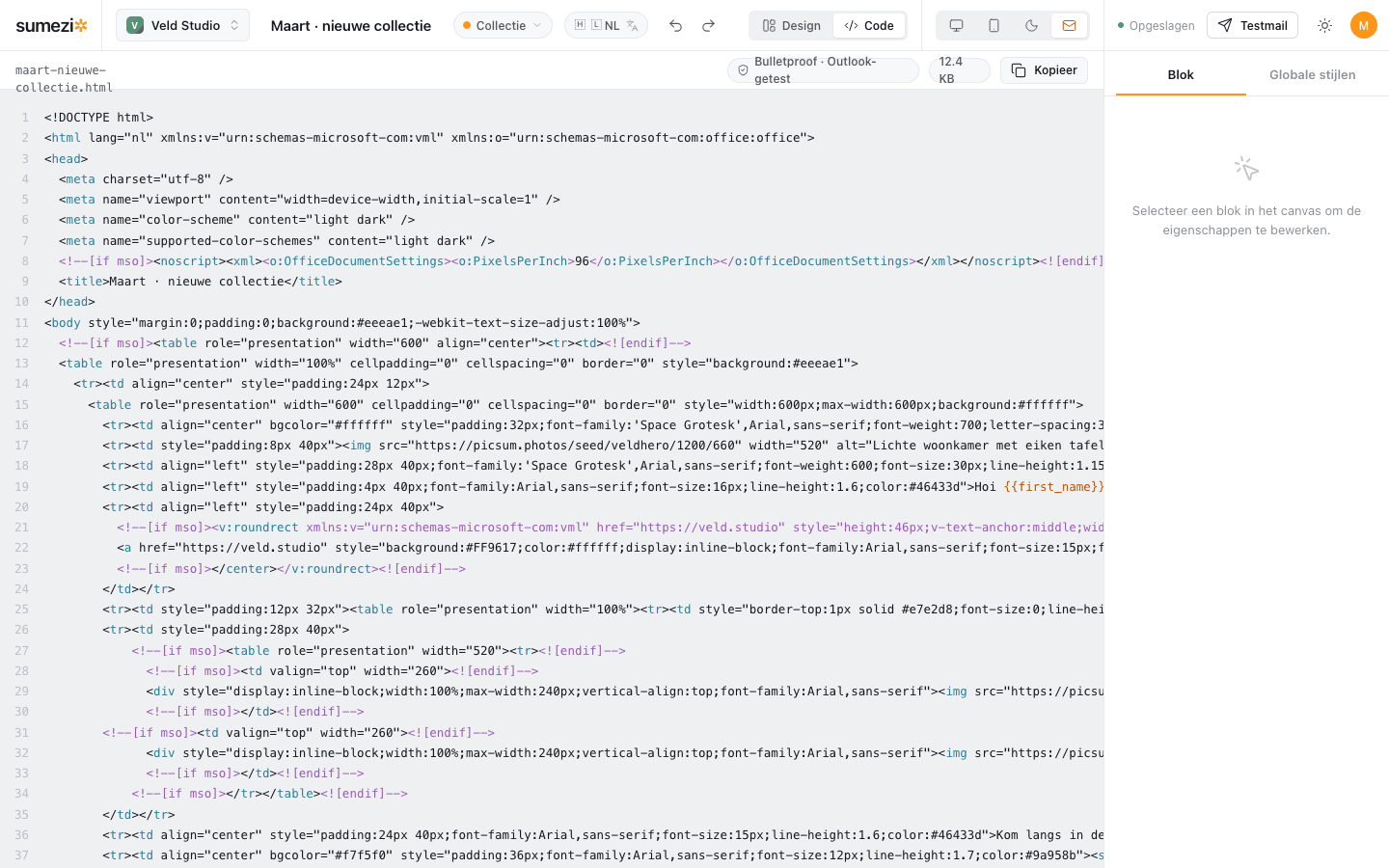
Code mode with compiled bulletproof email HTML and MSO conditionals.
The Outlook promise

Tested where it breaks.

Every block in the library is tested up front on Outlook (Windows) and the major inboxes. A new component only ships after the same test. What you build arrives as intended.

Section Columns Button Image Footer Social Video Tokens
Simulated Outlook preview in the editor.

Pick a template. Design. Send.

Start in the editor — the rest follows.

Open the editor